Meta Description
Learn how to create a professional LinkedIn profile in 2026 with simple steps for your photo, headline, About section, education, experience, skills, and projects.
Introduction
Learning how to create a professional LinkedIn profile can be useful when you are looking for jobs, building your professional network, or simply presenting your skills online. However, creating a profile is not just about filling in a few boxes and adding your name.
Instead, your LinkedIn profile should give visitors a clear idea of who you are, what skills you have, and what type of professional opportunities interest you.
LinkedIn’s own guidance says the introduction section is the first part people see and includes information such as your photo, headline, current position, education, location, and industry.
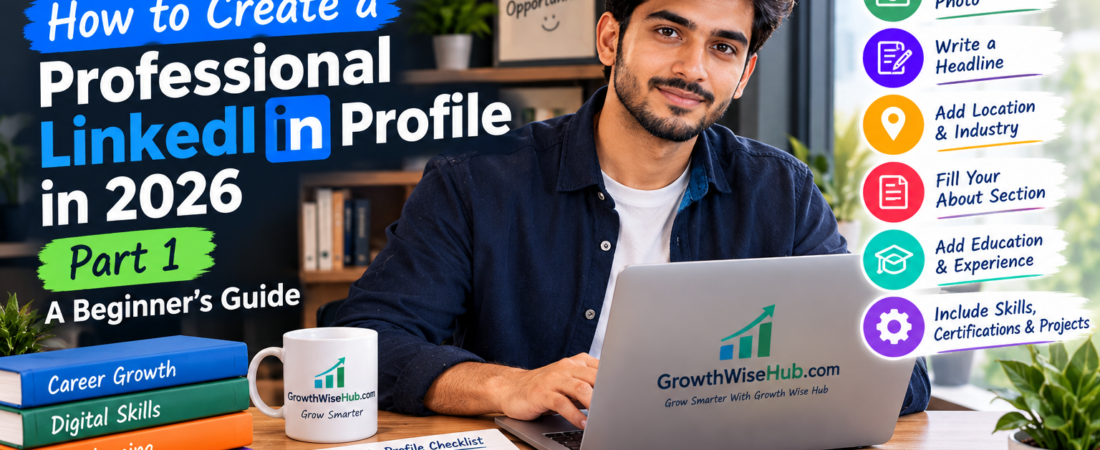
Therefore, in this guide, we will learn how to create a professional LinkedIn profile step by step. We’ll start with the basic profile information and then move through your photo, headline, About section, education, experience, skills, certifications, and projects.
By the end of Part 1, you’ll have a much clearer idea of what information belongs on your profile and how to present it in a simple, professional way.
🔗 LinkedIn Official profile introduction guidence Resource
1. How to Create a Professional LinkedIn Profile
Start With the Basics
Before adding advanced information, begin with the basic details.
First, make sure your name is written correctly.
Then, add your current location, industry, education, and other relevant information that applies to you.
LinkedIn’s introduction section allows members to edit details such as their name, profile photo, headline, current position, education, location, industry, and contact information. More importantly, only add information that is accurate and relevant to your professional profile.
If you are a student, for example, you can clearly mention your current education rather than trying to make your profile look like you already have years of professional experience.
2. How to Create a Professional LinkedIn Profile With a Good Profile Photo
Your profile photo is one of the first things people notice.
LinkedIn says the introduction section is the first part members see when visiting a profile, and its profile-photo guidance recommends using an image that reflects your likeness. Therefore, choose a clear and recent photograph.
You don’t necessarily need an expensive professional photoshoot. A clean background, good lighting, and a clear image can be enough for a beginner.
For example, avoid using:
- Group photographs
- Very old pictures
- Blurry photos
- Images with distracting backgrounds
- Random social-media pictures
Instead, choose a photo where your face is clearly visible and you look comfortable and professional.
Remember: professional does not mean that you have to wear an expensive suit. The goal is simply to present yourself appropriately for your professional profile.
3. Write a Clear Professional Headline
Your headline appears directly below your name on LinkedIn.Importantly, it doesn’t have to be limited to your current job title. LinkedIn explains that the headline can be used to highlight an area of expertise and is also displayed in search results.
For example, instead of:
> Student, you could write:> Business Student | Digital Marketing Learner | Interested in Content & Social Media.
Similarly, a beginner in graphic design could use:
> Graphic Design Beginner | Canva & Adobe Photoshop Learner | Interested in Visual Content, The best headline depends on your actual skills and goals.
Above all, don’t claim expertise that you don’t have. If you’re learning something, it’s perfectly fine to say that you’re a learner or beginner.
4. Choose the Right Location and Industry
Your location and industry can provide additional context about your professional interests.
For instance, if you live in Lahore and are interested in digital marketing, make sure your profile reflects your actual location and professional area.
However, don’t choose an industry simply because it sounds impressive. Your information should match the type of work you are actually interested in pursuing.
This also makes your profile easier for people to understand when they visit it.
5. Write a Simple and Strong About Section
The About section gives you more space to explain who you are. LinkedIn describes this section as a place where you can express your mission, motivation, and skills. Therefore, don’t simply copy your CV into this section.
Instead, write a short introduction that explains:
Who you are ?
What you are interested inYour main skills
What you are learning ?
What type of opportunity you are looking for
For example:> I am an aspiring digital marketing professional with an interest in content creation, social media, and SEO. I am currently developing my skills through online learning and practical projects.
I enjoy learning new digital tools and would like to gain experience in a professional environment.
Furthermore, keep the writing natural. Your About section should sound like you, not like a collection of complicated business phrases.
6. Add Your Education
Next, add your education information.You can include:
- School or college
- University
- Degree or qualification
- Field of study
- Relevant activities
- Dates where appropriate
If you’re a recent graduate or student, this section can be particularly useful because you may not have much formal work experience yet.
In addition, if you completed relevant projects or coursework, you can mention those where they genuinely support your professional goals.
7. Add Relevant Work Experience
Your Experience section should show what you have actually done.
If you have formal employment, add your relevant positions and explain your responsibilities clearly.
However, beginners should not assume that only traditional jobs count.You may also have relevant experience from:
- Freelancing
- Internships
- Volunteer work
- Personal projects
- Part-time work
- Family business activities
- Practical projects
For example, if you managed social media for a small business, you can describe what you actually did rather than simply writing “Social Media Manager.”
You could write:> Created social media posts, scheduled content, responded to basic customer questions, and monitored engagement.
This gives visitors a much clearer picture of your practical experience.
Your LinkedIn profile should support the information in your CV, You can Read our guide at CV in Link Below.
🔗 How to Create a Professional CV for Free in 2026: Step-by-Step Guide (Part 1)
8. Add Your Most Relevant Skills
Your Skills section is another important part of your profile.
Start by identifying skills that are genuinely relevant to the type of work you want.
For example:
- Digital Marketing
- SEO
- Social Media Marketing
- Content Marketing
- Email Marketing
- Freelancing
- Content Writing
- Graphic Design
- Virtual Assistance
- Data Entry
- Office Work
- Microsoft Excel
- Microsoft Word
- Communication
- Time Management
Nevertheless, don’t add random skills just to make your profile look bigger. Quality and relevance are more useful than simply creating a huge list.
9. Add Certifications and Courses
If you’ve completed relevant courses or certifications, consider adding them to your LinkedIn profile.
These can include:
- Online courses
- Professional certifications
- Technical training
- Industry-related programs
For example, if you’re applying for a digital marketing position, a relevant SEO or digital marketing course can provide additional context about your learning.
However, always make sure the certification or course is genuine. Most importantly, don’t add qualifications you haven’t actually completed.
10. Showcase Projects and Practical Work
Finally, don’t overlook projects. Projects can be especially useful for beginners because they give you an opportunity to demonstrate what you can actually do.
For example, you could showcase:
- A personal website
- A blog
- A university project
- A freelance project
- A graphic design collection
- A small coding project
- A social media campaign
- A research project
As a result, your profile can demonstrate practical ability even when your formal work history is limited.
If you have created something yourself, explain what the project was, what you did, and which skills you used.
Practical examples can also give you useful material to discuss during a job interview.You can also read our guide at.
🔗 10 Job Interview Tips for Beginners in 2026 — Part 1
What We Have Learned in Part 1 So far,
we’ve covered the main building blocks of how to create a professional LinkedIn profile:
✅ Basic profile information
✅ Professional profile photo
✅ Clear headline
✅ Location and industry
✅ About section
✅ Education
✅ Experience
✅ Relevant skills
✅ Certifications and courses
✅ Projects and practical work.
However, there is still more to do before your LinkedIn profile is ready for serious job searching.
What We’ll Cover in Part 2
In Part 2, we’ll take the next step.
First, we’ll discuss how to build a professional network without randomly connecting with everyone.
Next, we’ll look at LinkedIn’s job-search features, including job preferences and alerts.
We’ll also discuss the Open to Work feature, following relevant companies, keeping your profile updated, and avoiding common LinkedIn mistakes.
Finally, we’ll create a simple LinkedIn profile checklist and finish with our Final Thoughts.
Final Thoughts of Part 1
Learning how to create a professional LinkedIn profile is not about making your profile look perfect overnight. Instead, it’s about gradually presenting your real skills, education, experience, and professional interests in a clear way.
In Part 1, we learned how to build the main foundation of a LinkedIn profile, starting with basic information and a professional photo. Then, we moved on to the headline, About section, education, experience, skills, certifications, and projects.
Most importantly, beginners should not feel pressured to make themselves look more experienced than they really are. If you’re still learning, say so. If you’ve completed a personal project, show it.
Similarly, if you have gained skills through courses or freelance work, explain them honestly.
In Part 2, we’ll continue by looking at networking, job-search features, Open to Work, job alerts, common mistakes, and ways to keep your profile updated.
So, if you’re building your LinkedIn presence for the first time, start with the basics and improve your profile step by step. A clear and honest profile can make it easier for people to understand who you are and what you’re working toward.